




Products & Applications
PRODUCTS- >>Intelligent lighting control system
-
- Magnetic holding relay module
- Intelligent scene panel
- Sensor and accessories
- Central monitoring platform
- Dimming control module
- DALI Dimming System
- DMX512 dimming system
- Street lamp control system
- Guest room control system
- ZIGBEEE3.0 Wireless System
- PLC Power Carrier-Band Lighting System
- KNX Intelligent Lighting Control System


KNX Intelligent Lighting Control System
Location Position:Home > Products & ApplicationsKNX IP Router
Product Overview
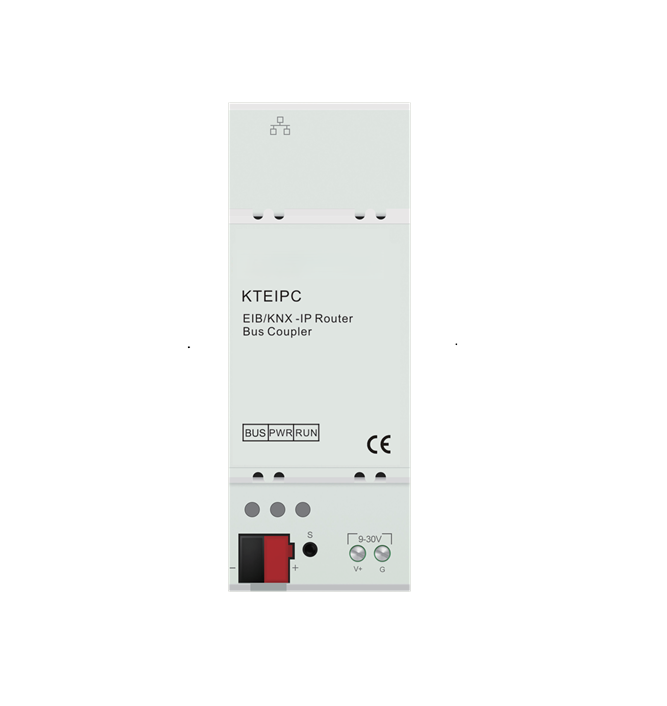
The DiKong DK2000-KTEIPC coupler features point-to-point tunneling and routing capabilities, connecting the KNX bus to the network. KNX signals can be received or transmitted over the network; the device communicates using KNXnet/IP, enabling faster signal transmission between domain-to-domain, domain-to-wire, and wire-to-wire connections.
Product features
● Programming and debugging can be performed via IP connection to the ETS.
● It can be used as an IP router for system networking.
● Can increase the KNX communication rate
● Features a filter table function: supports filtering based on the first byte of group addresses.
● Set parameters via the web interface; no programming using ETS is required.
Programming Instructions
1) After connecting the DK2000-KTEIPC to your local LAN, use the Firefox or Chrome browser to access 192.168.1.232;
2) Default username: admin; default password: 123;
3) After logging in successfully, click "Basic Settings" → "Startup Parameters";
4) Select "By KTS" as the interface type and set the interface address to X.Y.0;
5) The startup mode has been changed to KNX Router Mode;
6) If the LAN environment changes, click "Basic Settings" → "Network Settings" and adjust the KTEIPC-related parameters to match the LAN configuration;
7) After completing the modifications, click "System Restart." Wait until the RUN indicator light turns off and then turns on again; this indicates that the restart has been completed and that the configured parameters have taken effect.
Product Parameter

For other specific details, please feel free to contact the relevant customer service representatives at our company. We will be pleased to assist you.
The DiKong DK2000-KTEIPC coupler features point-to-point tunneling and routing capabilities, connecting the KNX bus to the network. KNX signals can be received or transmitted over the network; the device communicates using KNXnet/IP, enabling faster signal transmission between domain-to-domain, domain-to-wire, and wire-to-wire connections.
Product features
● Programming and debugging can be performed via IP connection to the ETS.
● It can be used as an IP router for system networking.
● Can increase the KNX communication rate
● Features a filter table function: supports filtering based on the first byte of group addresses.
● Set parameters via the web interface; no programming using ETS is required.
Programming Instructions
1) After connecting the DK2000-KTEIPC to your local LAN, use the Firefox or Chrome browser to access 192.168.1.232;
2) Default username: admin; default password: 123;
3) After logging in successfully, click "Basic Settings" → "Startup Parameters";
4) Select "By KTS" as the interface type and set the interface address to X.Y.0;
5) The startup mode has been changed to KNX Router Mode;
6) If the LAN environment changes, click "Basic Settings" → "Network Settings" and adjust the KTEIPC-related parameters to match the LAN configuration;
7) After completing the modifications, click "System Restart." Wait until the RUN indicator light turns off and then turns on again; this indicates that the restart has been completed and that the configured parameters have taken effect.
Product Parameter
For other specific details, please feel free to contact the relevant customer service representatives at our company. We will be pleased to assist you.